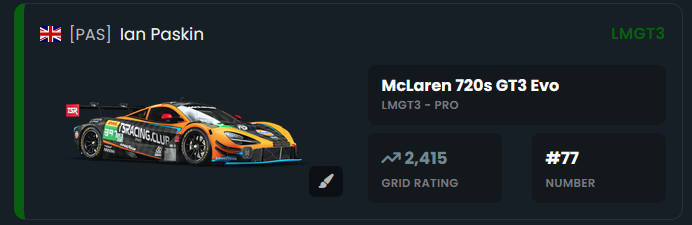
If you use a custom livery and want to add to the entry list on the TSR Website follow these few easy steps, this does help Guss our Commentator recognise you easier out on track, and makes the entry list look better, Unfortunately we are unable to access the Custom Livery Thumbnails to automatically bring in.
Note: You will most likely have to does this on PC to get the image link,
Step 1 - Login to the website, for this we use steam similar to Race Control and SimGrid this saves you having another password to remember,
click here top right  to Sign In
or visit https://tsracing.club/Login and login in
Step 2 - Go to the event page https://tsracing.club/Events/EventsList
Select the event you want to upload your livery for, scroll down and select the Entry List Tab, on your entry card you will see a paint brush tool, as long as you are set to use a Custom Livery in SimGrid when you signed up
Step 3 - Click on the Paint Brush Icon
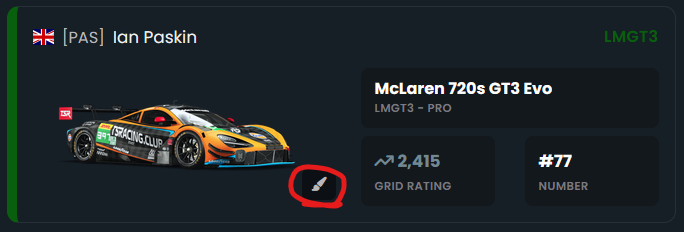
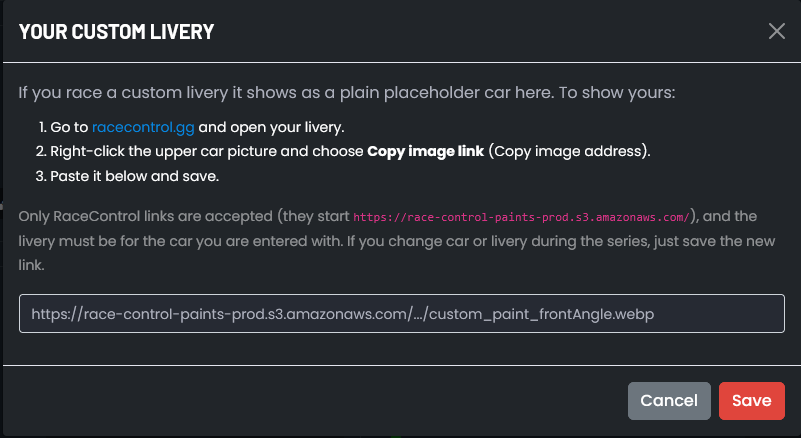
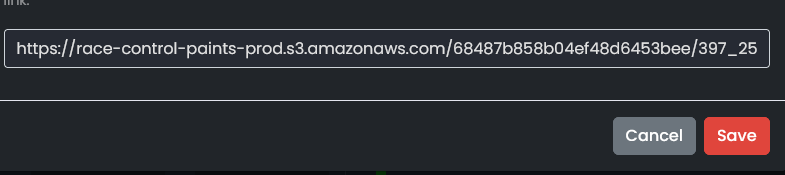
You can only upload a livery for your own entry and the car must match the livery you are uploading for. you will now see this popup
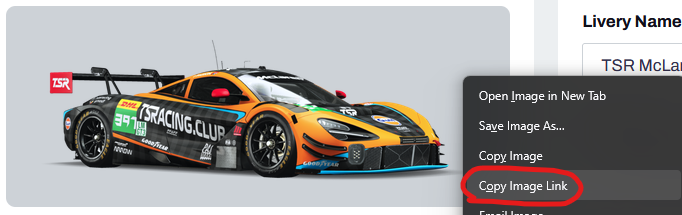
Step 4 - Head over to Race Control and open your Livery, then all you need to do is right click on the upper image and click on "Copy Image Link"
Step 5 - Back on the TSR Website paste the link into the popup and click save,
That's it, if you change your car or livery you can come back and edit at any time following the same process.